Furnish any empty room in seconds
Upload a listing photo, pick an interior style and room type, and preview photorealistic virtual staging while preserving walls, floors, and windows.
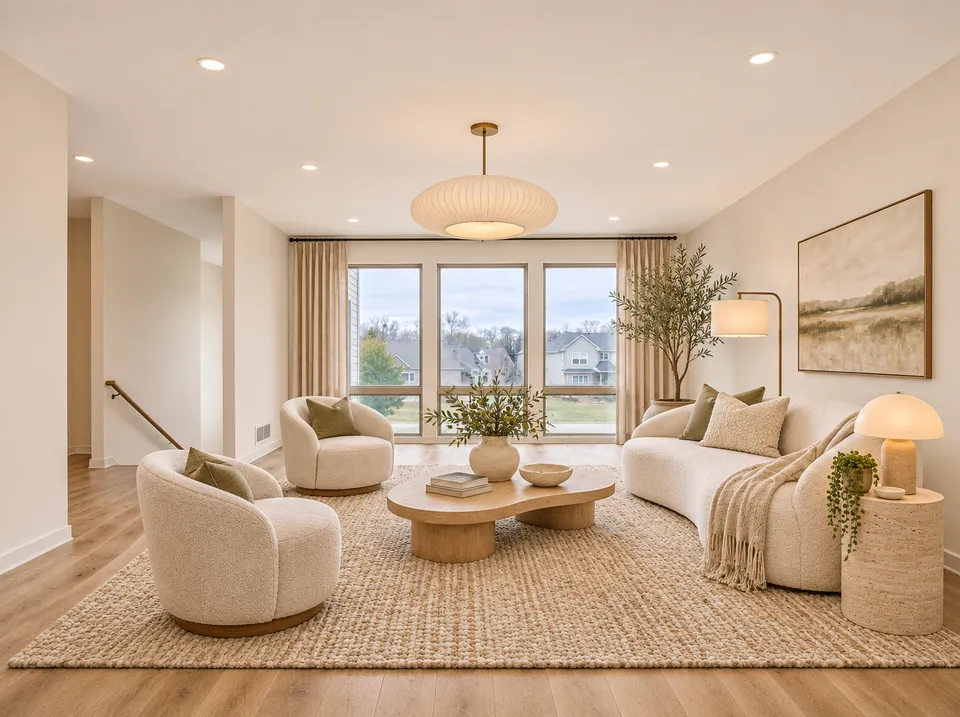
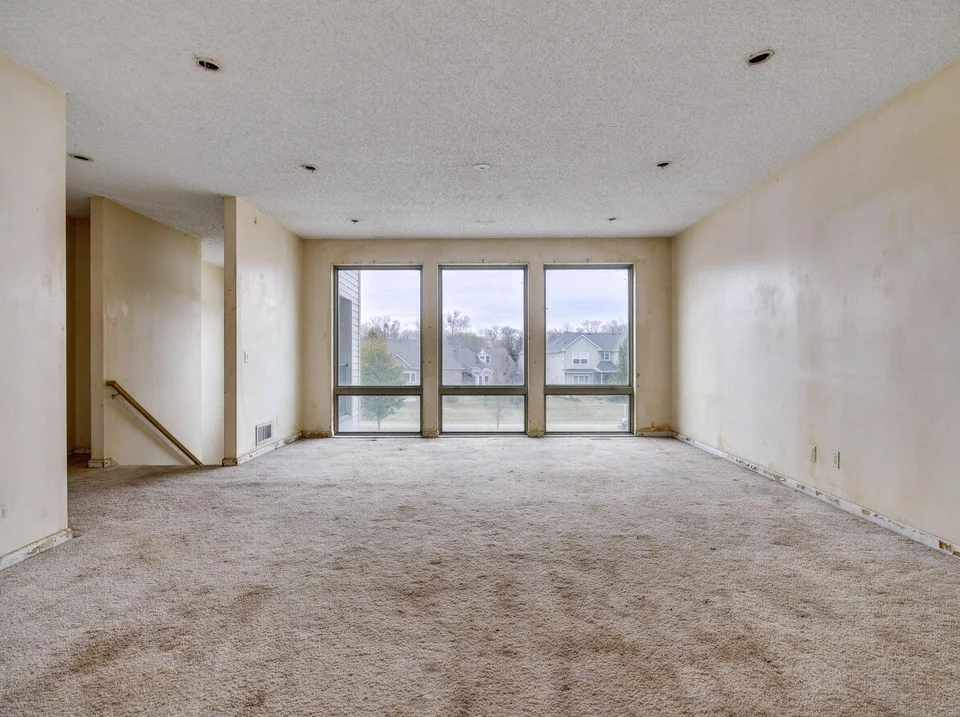
Walls, windows, doors, stairs and camera angle stay anchored to your photo.
Sofas, rugs and lighting are proportioned to your room's sightlines.
2K JPEG download with no watermarks. Disclose virtual staging per local rules.
8 virtual staging styles
Each style includes a dedicated guide and furniture-ready prompt preset.

Modern Organic
Curved bouclé sofa · white oak & olive tree
Curved bouclé seating, warm white oak tables, layered neutral rugs and natural greenery.
Try this style →
Scandinavian
Light linen seating · pale birch & wool rug
Airy light-grey linen seating, pale birch furniture, clean silhouettes and bright open flow.
Try this style →
Mid-Century Vintage
Warm walnut credenza · cognac leather & brass
Warm walnut credenzas, cognac leather accents, tapered legs and brass lighting.
Try this style →
Modern Luxury
Tailored sectional · marble table & gallery art
Tailored sectionals, marble coffee tables, brushed brass accents and gallery-scale art.
Try this style →
Coastal Relaxed
Slipcovered white linen · woven rattan & oak
White slipcovered sofas, woven rattan accents, bleached wood and breezy linen.
Try this style →
Japandi Zen
Low oak platform · paper lantern & ceramics
Low-profile oak frames, warm neutral linen, minimalist ceramics and serene negative space.
Try this style →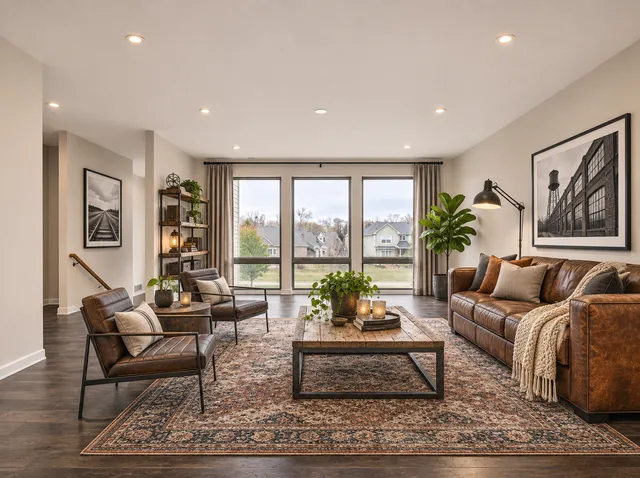
Urban Industrial
Saddle leather · black steel & reclaimed wood
Saddle leather seating, blackened steel frames, reclaimed wood and bold monochrome art.
Try this style →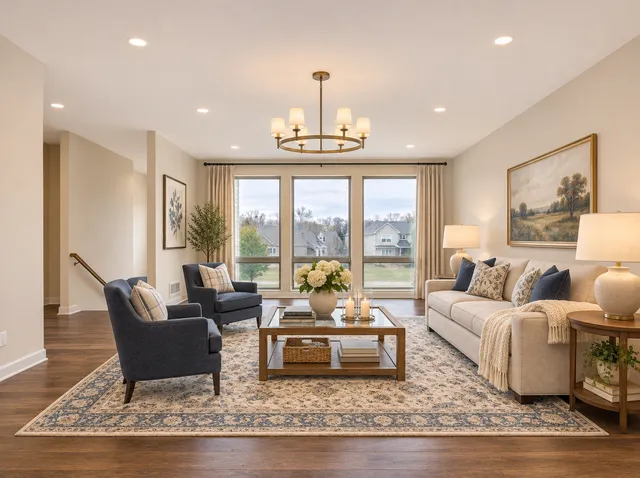
Classic Transitional
Tailored neutral linen · warm oak & bronze
Classic tailored upholstery, slate-blue accent chairs, warm oak tables and timeless balance.
Try this style →How virtual staging works
1. Upload your listing photo
Take a clear wide-angle photo of the empty living room, bedroom, dining area, or office.
2. Choose style & room type
Select from 8 interior staging styles, optional decor pieces, and lighting mood.
3. Compare & download
Preview the furnished result with the Empty/Staged slider and download for your listing.
Use virtual staging to help buyers picture the space
An empty room often looks smaller in listing photos than it feels in person. Virtual staging adds properly scaled furniture, rugs and lighting so buyers can immediately understand traffic flow and furniture capacity.
Modern Organic
Curved bouclé seating, natural white oak tables and soft textured rugs.
Explore the style →Scandinavian
Airy light-grey linen, pale birch furniture and open sightlines for smaller rooms.
Explore the style →Mid-Century Modern
Warm walnut credenzas, cognac leather accents and tapered architectural legs.
Explore the style →Fast visual shortlists for listings
Test multiple furniture styles on the same empty room photo and keep your favorites in My designs. The Empty/Staged slider lets you compare directly. Each successful render uses one credit.
Disclose staging & check dimensions
AI furniture is visual inspiration, not a measured floor plan. Always disclose virtual staging in MLS listings per local rules and verify room dimensions before buying physical furniture.
New to virtual staging? Start with the photo checklist, browse virtual staging playbooks, or read how credits and saved designs work.
Simple credit packs
One-time packs, no subscription. Every render uses 1 credit.
Sign in with Google to get free starter credits. Unused credits never expire. Purchases are final except as set out in our refund policy.
Frequently asked questions
Does virtual staging alter the walls, floors, or windows?+
Our prompts instruct the model to keep walls, floors, ceiling, windows, and doors intact while adding furniture and decor.
Can I use these images in real-estate MLS listings?+
Yes, as visual staging concepts — always disclose virtual staging per your local MLS rules and keep the original empty photo.
What photos give the best results?+
Bright, level wide-angle photos of empty or mostly cleared rooms work best.
Do credits expire?+
No. One-time credit packs never expire and only deduct when a render succeeds.