MLS rules, disclosure & ethics
What You Can & Cannot Change in MLS Virtual Staging: Furniture vs Structural Edits
By StageRender AI · Real-estate virtual staging & layout comparisons
Published · Updated
Most MLS rules draw one crisp dividing line between virtual staging and digital alteration: you may add movable residential furniture and decorative accessories to help buyers imagine life in the property, never erase physical defects or alter permanent home construction. Crossing into digital renovation without explicit construction disclaimers undermines the "true picture" standard in residential brokerage advertising.
Keeping permanent architecture strictly intact
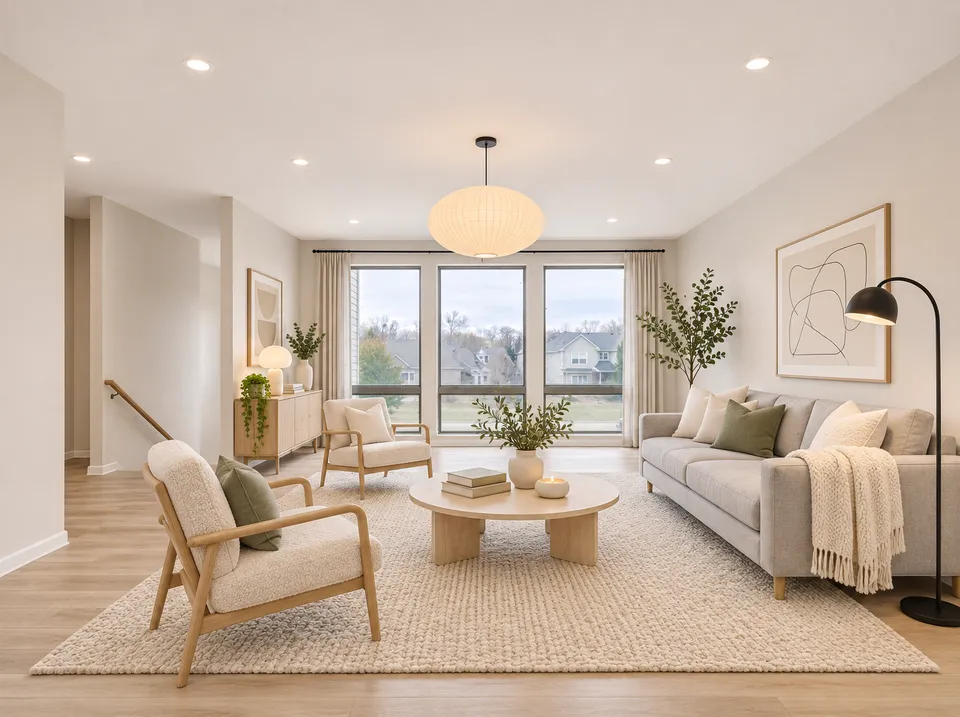
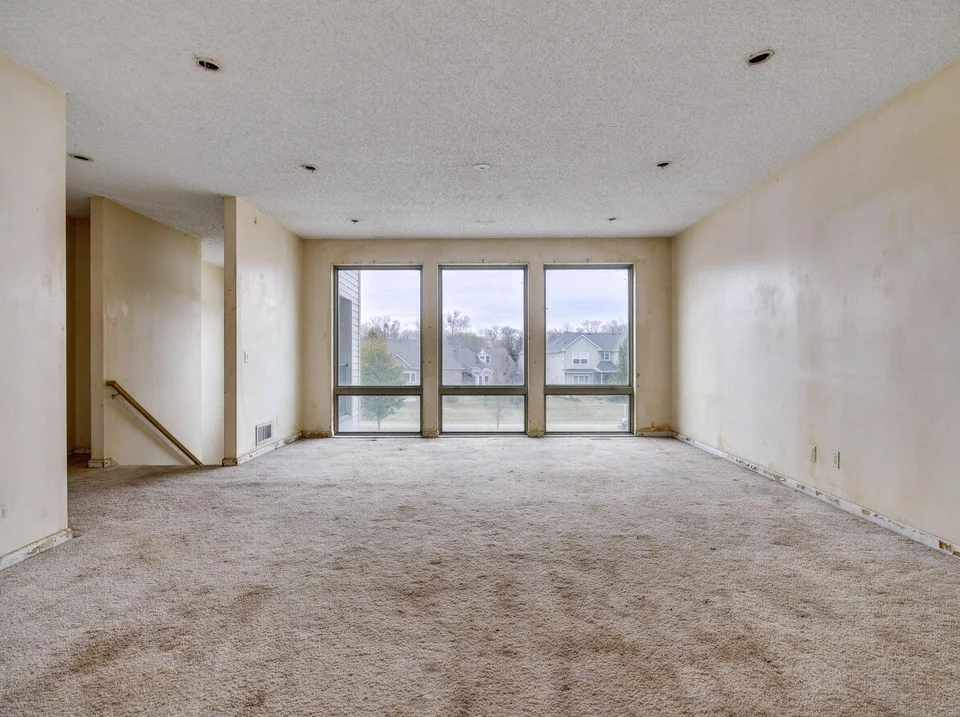
Empty living room → Scandinavian light linen & birch staging
Raised birch legs, airy light-grey upholstery, and slender minimalist lighting preserve open floor sightlines so modest spaces feel wider on listing thumbnails.
Illustrative AI virtual staging on a reference empty living room · Verify room dimensions physically & follow local MLS disclosure rules · 2026-11-21
Now test this style on your own room
Start with a level chest-height photo of an empty or cleared room.
Look carefully at the window frames, wall corners, recessed lights, and hardwood trim inside both Scandinavian and Contemporary Luxury concepts: the structure does not expand, ceiling heights do not stretch, and missing crown molding does not magically appear.
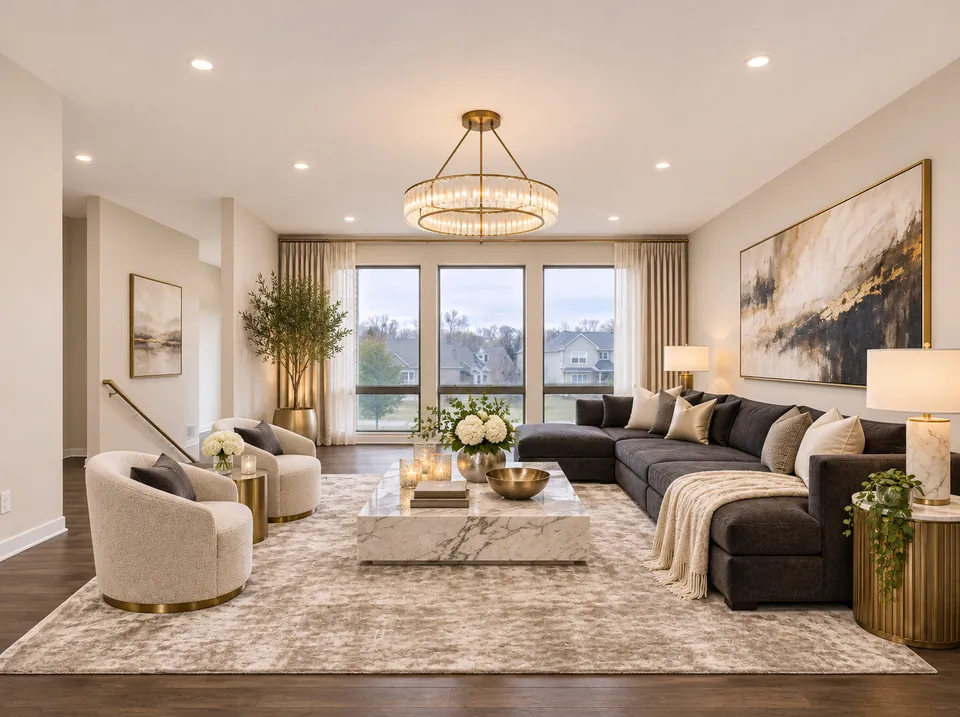
Empty living room → Contemporary Luxury sectional & marble table
Hotel-grade sectional proportions, honed stone table surfaces, and large gallery artwork define generous volume in upscale empty rooms.
Illustrative AI virtual staging on a reference empty living room · Verify room dimensions physically & follow local MLS disclosure rules · 2026-11-21
Good virtual staging prompts instruct the generator explicitly to leave walls, ceilings, floor planes, baseboards, fireplaces, doors, and camera angle unchanged.
Clear boundary matrix for public listing decks
| Type of Visual Change | Movable Virtual Staging (Standard MLS Friendly) | Digital Renovation / Structural Edit (Restricted) |
|---|---|---|
| Seating, beds, dining tables & office desks | Yes—primary purpose of staging | — |
| Area rugs layered gently atop intact floors | Yes—when perimeter flooring stays visible | Hiding stained carpet, cracked tile, or torn floorboards |
| Framed neutral art & potted indoor plants | Yes—breaks up blank walls safely | Hanging large art directly over electrical panels or wall damage |
| Sheer curtains & table/floor lamps | Yes—adds daylight softness cleanly | Erasing power lines, roof leaks, cracks, utility meters, or neighbor buildings |
| Changing cabinet paint or tearing down walls | Only in clearly separated Renovation Concept decks (outside main MLS photo rules where prohibited) | Never swap kitchen cabinets, brick, windows, or drywall secretly inside MLS hero photos |
Auditing AI safety before upload
Even when a prompt targets movable furnishings only, generative AI models occasionally "tidy up" imperfections near room edges—smoothing a discolored drywall patch or inventing a decorative ceiling beam. Always compare side-by-side in StageRender AI: - Check floor edges where baseboards meet rugs. - Verify electrical outlets, HVAC grilles, and sprinkler heads remain intact. - Discard and re-render any frame that accidentally moves a window mullion or removes an interior doorway.
For step-by-step artifact inspection tips, jump next to how to audit AI renders for changed doors, outlets, and scale.
Further staging reading
- NAR Code of Ethics (True Picture Principles)Ethical line between adding movable virtual decor vs altering real property defects.