Photography, lighting & staging craft
Virtual Staging Lighting Presets: Bright MLS Daylight vs Warm Evening & Golden Hour
By StageRender AI · Real-estate virtual staging & layout comparisons
Published · Updated
Putting gorgeous virtual furniture into an interior snapshot fails fast if the lighting on the new sofa doesn't match the sunlight streaming off your real hardwood floor. When an overcast blue room receives harsh orange lamp highlights—or a twilight condo gets stark bright daytime shadows—the human eye instantly flags the photo as pasted together. Picking the matching Lighting selector inside StageRender AI locks furniture textures cleanly into real room atmosphere.
Comparing Daylight Clarity vs Atmospheric Evening Warmth
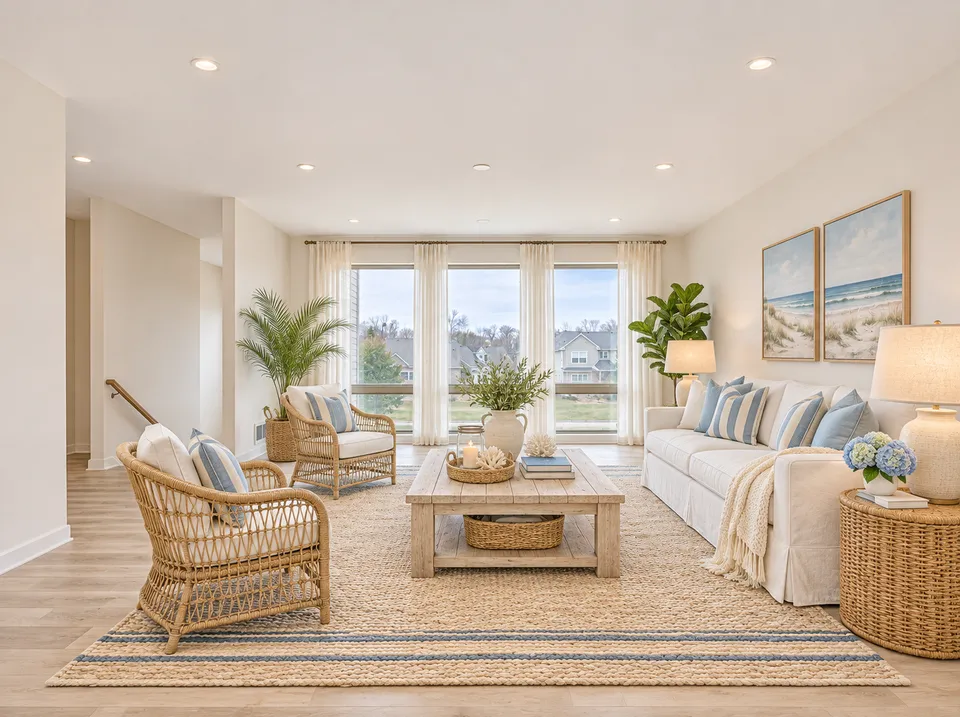
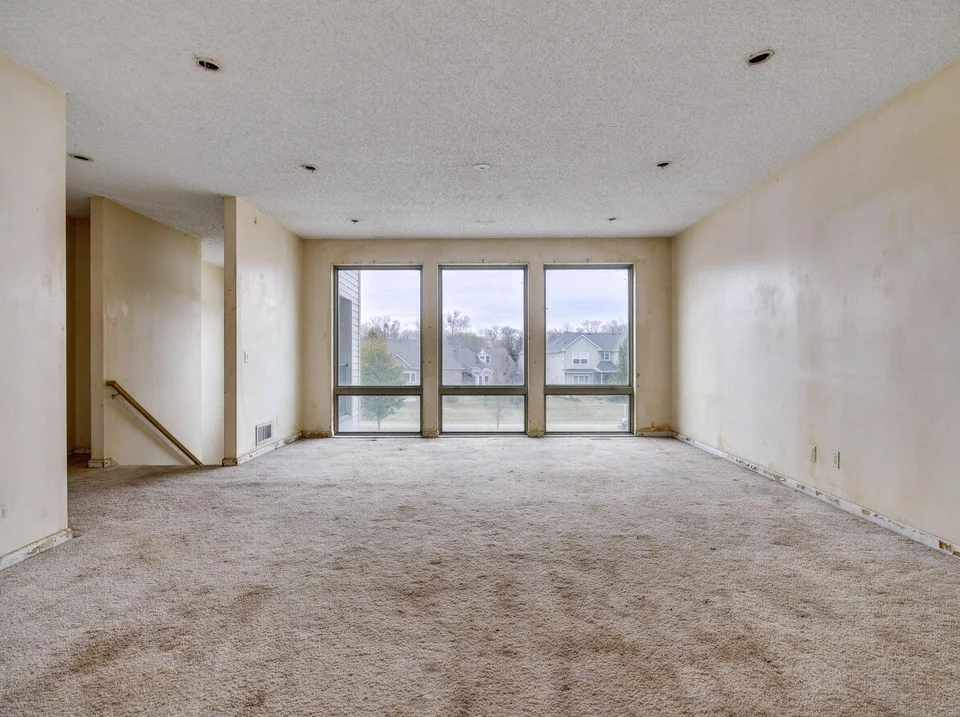
Empty living room → Coastal Airy white slipcover & rattan
Breezy white slipcovered seating, woven rattan accents, and soft window diffusion brighten dark or neutral rooms for family homes and rentals.
Illustrative AI virtual staging on a reference empty living room · Verify room dimensions physically & follow local MLS disclosure rules · 2026-11-21
Now test this style on your own room
Start with a level chest-height photo of an empty or cleared room.
Look closely at daylight crispness across Coastal Airy vs evening warmth in Contemporary Luxury:
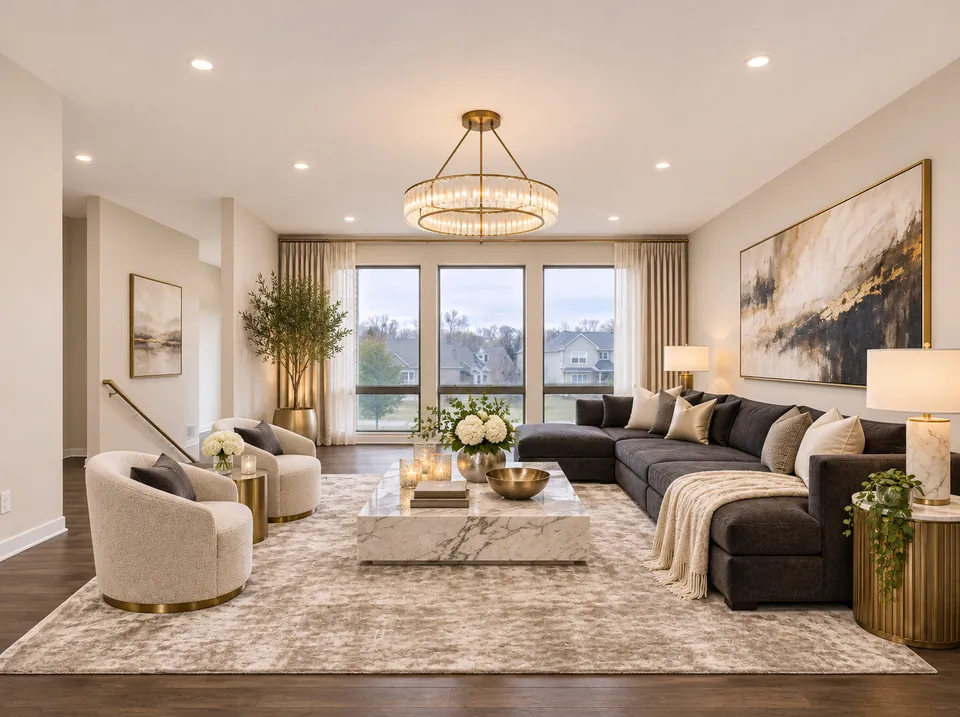
Empty living room → Contemporary Luxury sectional & marble table
Hotel-grade sectional proportions, honed stone table surfaces, and large gallery artwork define generous volume in upscale empty rooms.
Illustrative AI virtual staging on a reference empty living room · Verify room dimensions physically & follow local MLS disclosure rules · 2026-11-21
- Match photo lighting (default safest): Reads ambient color cast, window highlights, and existing wall shadows from your upload automatically—best whenever natural daylight is already clean and balanced.
- Bright MLS listing: Crisp, neutral white-balanced commercial real-estate feel; lifts flat shaded corners cleanly without turning off-white walls artificially yellow.
- Sunlit daylight: Emphasizes crisp afternoon beams across open sliders and sunlit bedrooms without over-exposing trim.
- Golden hour: Casts richer late-afternoon warmth across floors and textiles—ideal when exterior window scenery clearly shows late sunset skies or twilight neighborhood views.
- Warm evening lamps: Highlights glowing 2700K floor lamps and bedside sconces cleanly when your input shot was captured indoors after dusk with ceiling cans switched on.
- Soft neutral daylight: Keeps shadows gentle and diffused—ideal for north-facing condos and Scandinavian minimalism where sharp glare hurts crisp wood grain.
Lighting Matching Table
| Input Photo Lighting | Recommended Lighting Preset | Why It Blends Naturally |
|---|---|---|
| Pro daylight HDR MLS photo | Match photo lighting or Bright MLS listing | Keeps white trim clean and shadows accurate |
| Slightly dim cloudy phone snapshot | Bright MLS listing or Soft neutral daylight | Lifts gloomy corners softly without harsh orange cast |
| Sunset balcony / lakefront view | Golden hour | Echoes warm exterior sun angles across rugs and upholstery |
| Evening walkthrough with lamps/recessed lights | Warm evening lamps | Ties table lamps cleanly into actual 2700K ceiling glow |
Test Match photo lighting first on StageRender AI, and switch lighting selectively only when your empty room shot needs gentle balance aligned cleanly with reality.
Further staging reading
- Real Estate Staging Association (RESA)Color accuracy and consistent interior daylight balance for MLS listings.