ROI, physical staging & brokerage workflows
How Real Estate Agents Present Virtual Staging Shortlists to Win Seller Sign-Off
By StageRender AI · Real-estate virtual staging & layout comparisons
Published · Updated
For vacant estates, relocations, and stale expired listings waiting for a fresh launch, bringing tangible visual options to the seller consultation instantly separates a proactive marketing plan from vague promises. Rather than pitching hypothetical design ideas aloud, walking sellers through two clean concepts rendered straight from their own empty living room turns abstract staging strategy into immediate agreement.
The 3-option shortlist workflow inside StageRender AI
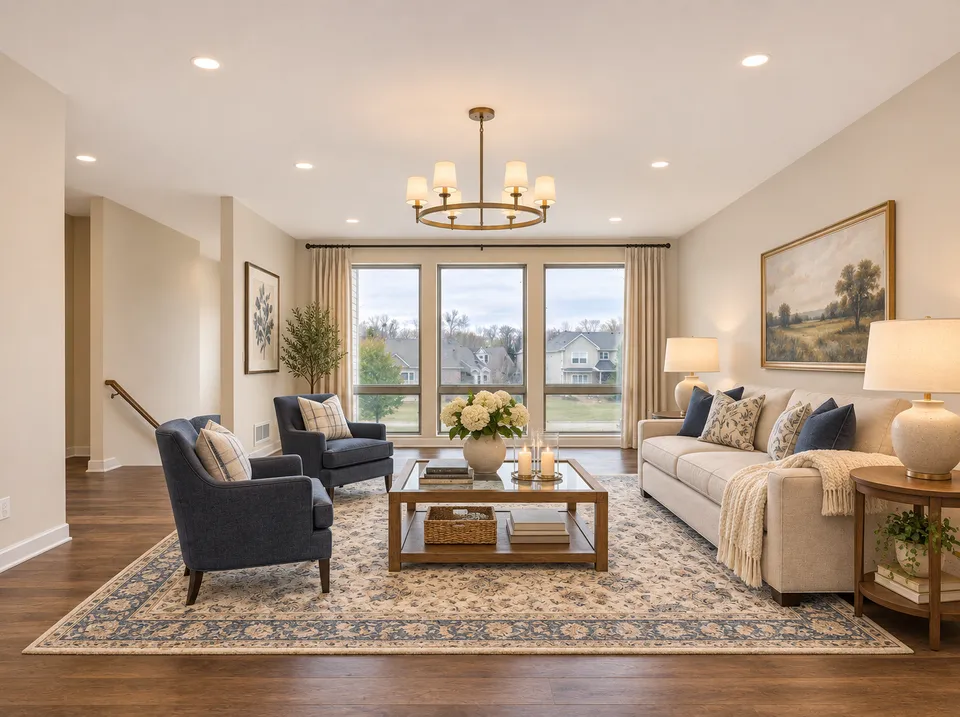
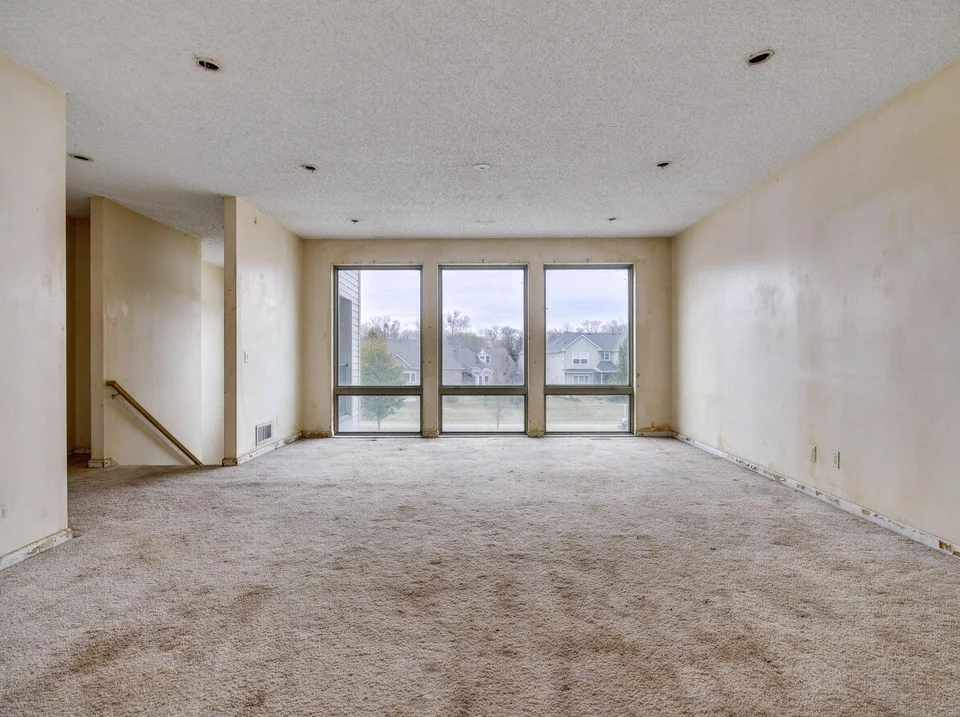
Empty living room → Warm Transitional oatmeal sofa & slate chairs
Classic tailored oatmeal upholstery paired with balanced slate accent chairs creates approachable resale appeal across traditional and updated homes.
Illustrative AI virtual staging on a reference empty living room · Verify room dimensions physically & follow local MLS disclosure rules · 2026-11-21
Now test this style on your own room
Start with a level chest-height photo of an empty or cleared room.
Before your listing consultation or relaunch call, snap or grab one crisp daytime corner photo of the main empty room and generate two complementary directions in StageRender AI: - Option A — Broad Resale Baseline: Warm Transitional or Modern Organic tailored specifically for neighborhood comps. - Option B — Lifestyle Refresh Contrast: Contemporary Luxury, Mid-Century Modern, or Coastal Airy tailored to the home's architecture.
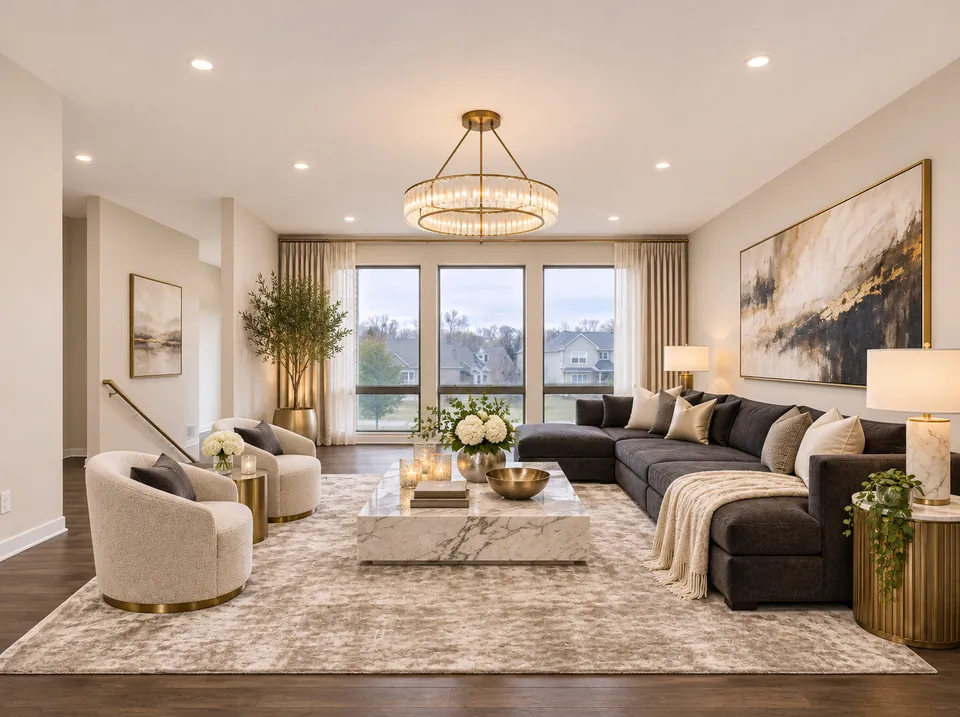
Empty living room → Contemporary Luxury sectional & marble table
Hotel-grade sectional proportions, honed stone table surfaces, and large gallery artwork define generous volume in upscale empty rooms.
Illustrative AI virtual staging on a reference empty living room · Verify room dimensions physically & follow local MLS disclosure rules · 2026-11-21
Because every render saves directly into My designs and lets you click Before / After JPG right inside the studio, you walk in holding high-resolution split cards requiring zero slide-deck design overhead.
Simple 5-minute seller review agenda
| Step in Consultation | What to Show Seller | Decision Locked |
|---|---|---|
| 1. Set compliance ground rules first | Explain MLS labeling (Virtually Staged) + keeping empty shots | Avoids surprise complaints about transparency |
| 2. Walk the Before / After JPG split card | Point out untouched baseboards, floors, and windows | Reassures seller the photo honors actual craftsmanship |
| 3. Pick Option A vs Option B direction | Lock ONE cohesive aesthetic across hero living, dining & primary rooms | Prevents mismatched room-by-room clutter |
| 4. Confirm key room count (3–4 hero frames) | Agree on priority rooms (Living, Dining, Primary, optional Office) | Launches gallery fast without bloated production |
Start building your brokerage presentation sample inside the staging studio today—every new account opens with free credits to test your next listing snapshot in seconds.
Further staging reading
- NAR Profile of Home StagingAgent-seller staging workflows and listing marketing alignment benchmarks.