MLS rules, disclosure & ethics
How to Order Empty and Staged Photos in an MLS Gallery Without Confusing Buyers
By StageRender AI · Real-estate virtual staging & layout comparisons
Published · Updated
Once you have polished staged renders alongside empty room originals, photo order inside the listing feed shapes how shoppers interpret the home. Scattering every staged frame up front and burying empty room photos at slot #45 often violates pairing conventions and forces buyers to hunt backward to verify actual flooring. Keeping a crisp, intentional gallery rhythm works much better.
Gallery Pairing Strategy A: Sequential Pairs (Most Transparent)
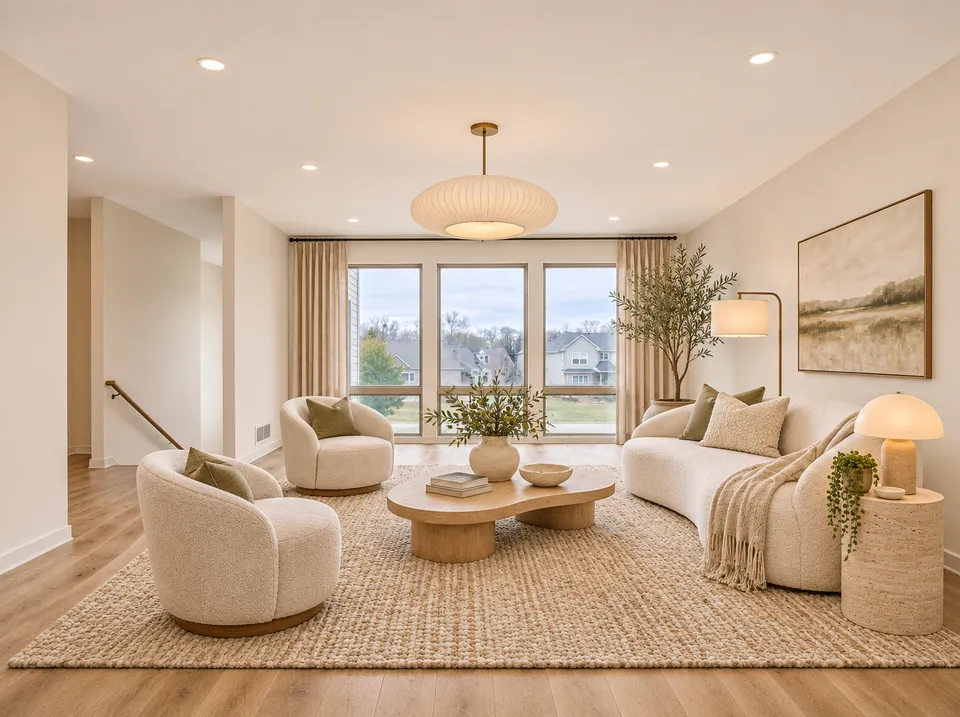
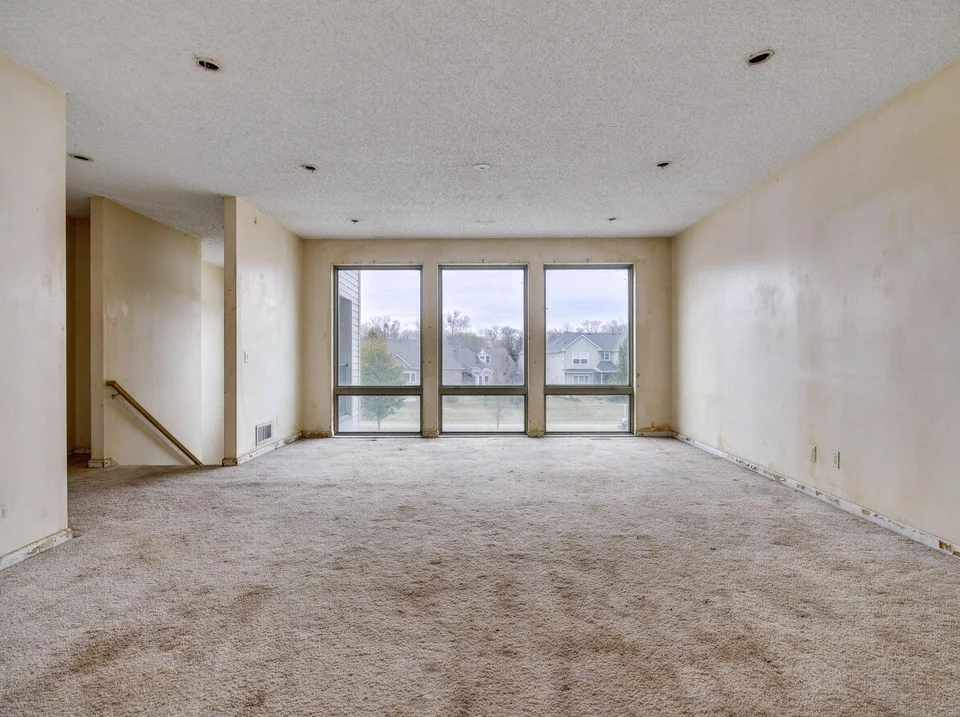
Empty living room → Modern Organic bouclé & white oak staging
A curved cream bouclé sofa, sculpted white oak coffee table, woven wool rug, and potted olive tree add warmth while preserving floorboards, trim, and window lines.
Illustrative AI virtual staging on a reference empty living room · Verify room dimensions physically & follow local MLS disclosure rules · 2026-11-21
Now test this style on your own room
Start with a level chest-height photo of an empty or cleared room.
Immediately after exterior front curb shots, display each flagship space as a clean Staged → Empty micro-pair (or Empty → Staged if your local MLS board mandates showing the actual current vacant room first): - Slot 2: Living Room (Virtually Staged — Modern Organic) - Slot 3: Living Room (Unedited original vacant photo) - Slot 4–5: Kitchen (Original empty/finished fixtures untouched) - Slot 6: Dining Area (Virtually Staged) → Slot 7: Dining Area (Original empty)
Buyers swiping quickly on mobile appreciate seeing the immediate visual comparison next to each room rather than losing context across a 40-photo scroll.
Gallery Pairing Strategy B: Highlight Story First, Reference Empty Deck Second
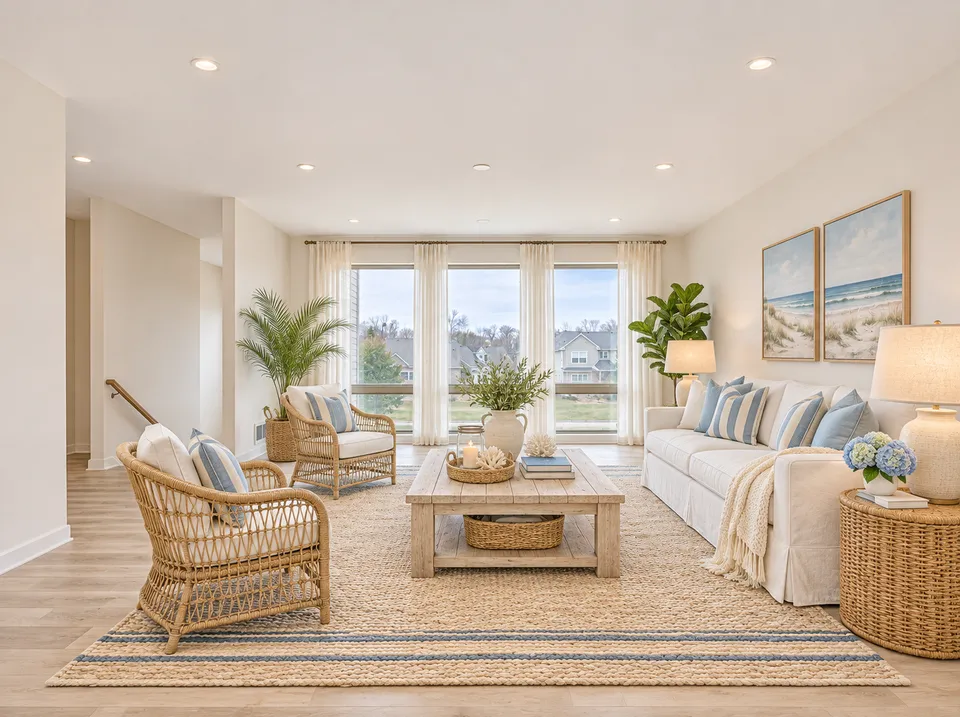
Empty living room → Coastal Airy white slipcover & rattan
Breezy white slipcovered seating, woven rattan accents, and soft window diffusion brighten dark or neutral rooms for family homes and rentals.
Illustrative AI virtual staging on a reference empty living room · Verify room dimensions physically & follow local MLS disclosure rules · 2026-11-21
Where local board rules permit grouping staged highlights first—such as a 5-photo furnished architectural tour opening into the kitchen and yard—always place a crisp caption marker signaling "Unedited vacant room photos follow at images 28–33" so compliance teams and serious buyers locate raw rooms in one second.
Gallery planning table by distribution channel
| Channel | Best Visual Order | Format Tip |
|---|---|---|
| Primary MLS & Zillow / Redfin feed | Follow board rule strictly: usually adjacent Staged + Empty pairs | Keep individual full-res downloads from My designs crisp and uncropped |
| Seller pre-listing pitch & brochure | Combined side-by-side Before / After JPG card | Download directly after generation inside StageRender AI |
| Instagram / LinkedIn "Just Listed" reel | Interactive Before → After wipe (Empty first 1 sec, Staged hold 3 sec) | Pair raw photo and downloaded render back-to-back |
| Printed open-house flyer | Staged hero top half + small clean Empty Inset bottom corner | Print "Virtually Staged Concept" clearly beneath inset |
Make keeping identical file pairs effortless: photograph your home systematically room-by-room following our shooting order guide, generate consistent styles inside the staging workbench, and archive every matched Empty/Staged filename neatly together.
Further staging reading
- NAR Profile of Home StagingHow online shoppers react to staged hero cards vs unedited room walk-throughs.